How to make a Voronoi pattern in SOLIDWORKS
SOLIDWORKS has no Voronoi tool; the usual route is Grasshopper or a generator website, then importing curves that are hard to put on a curved part. Pattern Mapper has a Voronoi layout with Shape = Cell: a grille with a constant web, cut or embossed into flat or curved faces. Geometric Surface builds faceted Voronoi tiles.
Step by step: a Voronoi grille
- 01Select the faces, then
Advanced Surface Toolstab › Pattern Mapper, Layout Voronoi. - 02Randomness from 0 (regular hexagons) to irregular; Seed for another arrangement; the cell size sets the density.
- 03Shape Cell: each Voronoi cell inset by half the Web width, with a Corner radius.
- 04Output Deboss deeper than the wall to cut the cells out (a lamp shade, a speaker grille), Emboss, or Split line.
- 05+ Modifier varies the cell size across the part, e.g. denser towards an edge.
Faceted Voronoi tiles
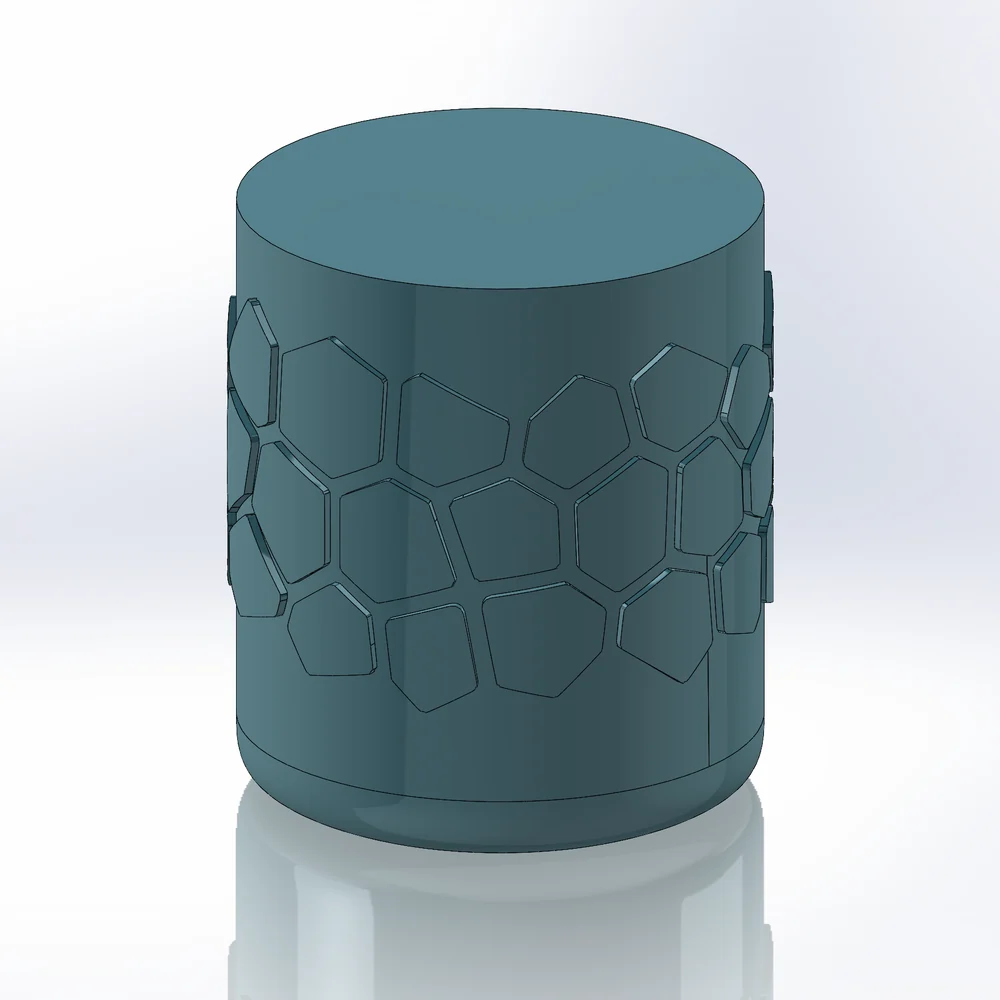
Geometric Surface, Lattice Voronoi: each cell becomes a raised facet with sharp creases, one surface or merged into the solid.
Around a closed surface
On a vase or full cylinder the seeds repeat around, so the cells continue across the seam without a visible joint.
Try it on your own part
Advanced Surface Tools is a SOLIDWORKS add-in (2023 or newer). Every tool works free for 14 days; a licence is €99 plus VAT, one-time.
Docs: Pattern Mapper · Geometric Surface
Questions
Yes: Output 3D sketch writes the cells as curves on the faces.
No. This works on faces (a skin pattern or grille), not a volumetric lattice through the part.