How to put a hexagon (honeycomb) pattern on a bottle or curved surface in SOLIDWORKS
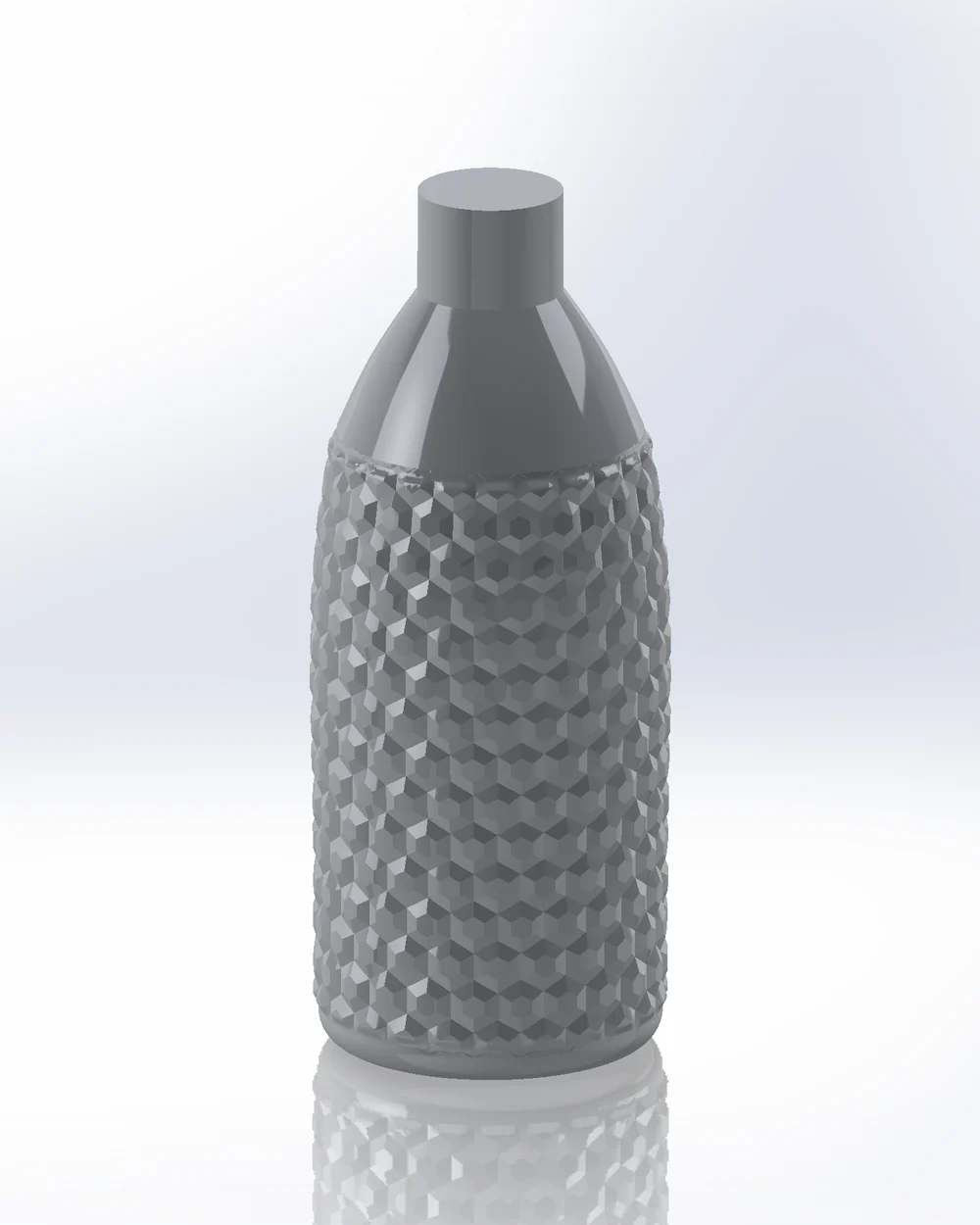
Fill Pattern only fills planar faces and Wrap works on one simple face, so a honeycomb on a bottle that is not a cylinder usually ends in projected sketches that will not extrude. Geometric Surface wraps a hex lattice around the faces as raised hex tiles with sharp creases, and Pattern Mapper embosses, debosses or cuts hexagons, both seamless around a bottle.
What SOLIDWORKS offers built in
- Fill Pattern needs a planar face or a sketch on one.
- Wrap embosses, debosses or scribes a closed 2D sketch onto one face. The Analytical method takes planar, cylindrical and conical faces (and extruded or revolved ones); the Spline Surface method takes other faces but distorts the sketch as the curvature grows, and it cannot go all the way round a closed face.
- Projected sketches are 3D curves that cannot be thin-extruded or cut normal to the surface.
Raised hex tiles (Geometric Surface)
- 01Select the bottle's faces, then
Advanced Surface Toolstab › Geometric Surface, Mode Tiles, Lattice Hex. - 02Mapping Cylindrical: the cell size is fitted so a whole number of hexagons goes around, without a seam. Even spacing around keeps them even on oval bottles.
- 03Tile: Height, Top size (0 = pyramids, larger = frustums), Profile (Linear, Round, Pillow …).
- 04Edge fade or At the border (Trim, Drop cells, Clip cells) decides how the pattern ends at the shoulder and base.
- 05Output Solid: one solid, ready for STEP or a mould.
Embossed, debossed or cut hexagons (Pattern Mapper)
- 01
Advanced Surface Toolstab › Pattern Mapper, Mode Pattern, Layout HexGrid, Shape Polygon (6 sides) or Cell for a grille with a constant web. - 02Output Emboss, Deboss (deeper than the wall cuts through) or Split line.
- 03Fit pattern puts whole cells to the margin in one click; + Modifier grows or shrinks them across the bottle.
Try it on your own part
Advanced Surface Tools is a SOLIDWORKS add-in (2023 or newer). Every tool works free for 14 days; a licence is €99 plus VAT, one-time.
Docs: Geometric Surface · Pattern Mapper
Questions
Yes, that is what it is for: vases, tapered and oval bottles, also with several faces. The cells follow the surface.
Yes, with a modifier (gradient, attractor, curvature …) on size, or simply because the count around stays constant in Cylindrical mapping.