How to pattern holes, dimples or bumps normal to a curved surface in SOLIDWORKS
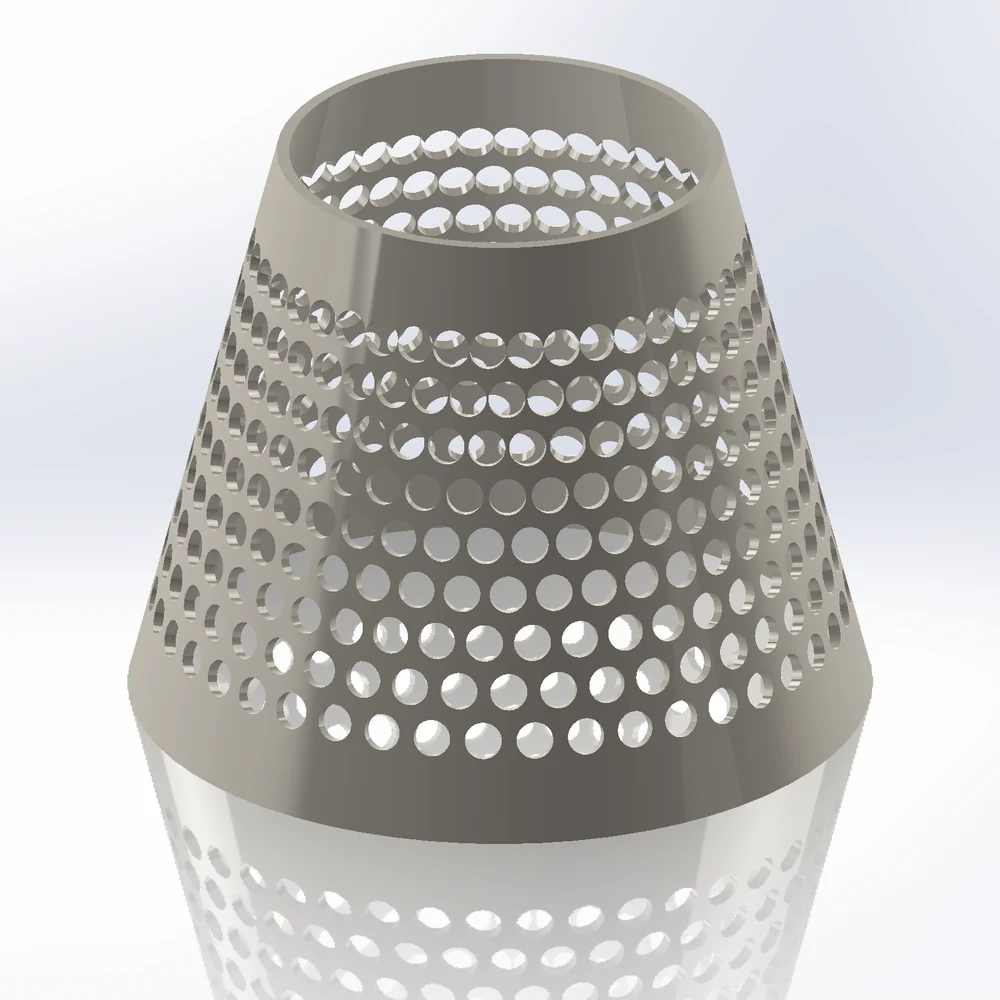
Curve and sketch driven patterns place features one by one, often tilt some of them the wrong way on curved faces, and get slow in the thousands. Pattern Mapper in Body mode places a body (cylinder, sphere, cone, box, pyramid or your own) at every point of a layout, normal to the surface, and adds it to or cuts it from the part as one Pattern Bodies feature.
What SOLIDWORKS offers built in
- Curve / Sketch Driven Pattern: places a feature at sketch points or along a curve; on curved faces orientation needs care and some instances flip.
- Fill Pattern: planar faces only.
- Thousands of patterned cut features rebuild slowly.
Step by step
- 01Select the faces, then
Advanced Surface Toolstab › Pattern Mapper, Mode Body. - 02Body Cylinder for holes, Sphere for dimples or bumps, Cone, Box, Pyramid, or Custom (a small solid you modelled at the origin, pointing +Z).
- 03Bodies Cut (holes, dimples) or Add (studs, bumps). Each body stands normal to the surface.
- 04Layout: square, hex, staggered, radial, spiral, random, Voronoi seeds, or generative rows along edges and curves.
- 05+ Modifier changes size, rotation or visibility across the part (holes growing towards the bottom, a logo left free).
- 06OK: one Pattern Bodies feature, also with thousands of bodies.
Along edges and curves
Select edges or sketch curves instead of faces: Mode Path places bodies along them (beads along an edge, studs along a curve) with spacing, count, ramps and per-curve settings.
Try it on your own part
Advanced Surface Tools is a SOLIDWORKS add-in (2023 or newer). Every tool works free for 14 days; a licence is €99 plus VAT, one-time.
Docs: Pattern Bodies · Pattern Mapper
Questions
Yes: spheres cut from a sphere, with a spiral or random layout. On a sphere, Flatten and UV mapping stretch somewhat; the status line shows how much.
Thousands. Each add or cut gets slower as the body gains faces: thousands of boxes or pyramids take seconds to a minute.
Along edges and curves, yes: Output = 3D sketch points. On faces, Pattern mode with Shape = Point writes 3D sketch points.