
How to fill a hole with a curvature-continuous (G2) surface in SOLIDWORKS
SOLIDWORKS’ Filled Surface offers a Curvature condition per edge, and for many holes it is enough. It does not report how well the condition was met, and where fillets of different radii meet its patch is not curvature-continuous. Advanced Surface fills the same edges with one NURBS surface, Contact, Tangent or Curvature per edge, and measures every edge after the build.
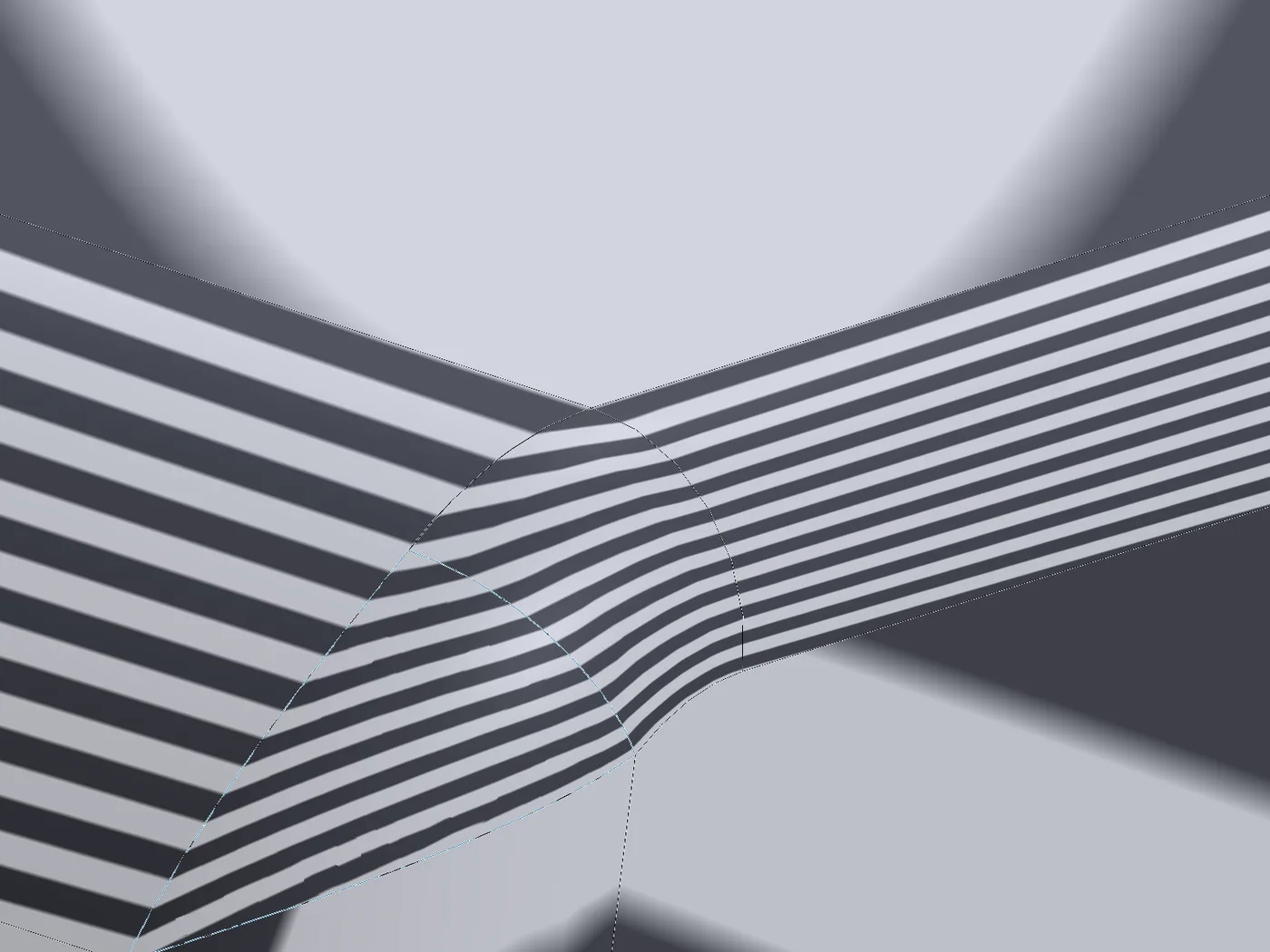
What SOLIDWORKS offers built in
- Filled Surface: patch boundary edges, each Contact, Tangent or Curvature; Optimize surface; constraint curves. It needs a closed boundary and builds fast (0.1–0.5 s in our tests).
- Boundary Surface: a surface from curves in one or two directions, with tangency or curvature to the faces at its edge curves. Good for four-sided patches.
- Delete Face › Delete and Fill: removes a face and fills the hole, optionally tangent.
Step by step
- 01Select the edges around the hole, or the edges of a face you want to replace, then
Advanced Surface Toolstab › Advanced Surface. - 02Every edge is a line in the Surface Boundary list. With no line highlighted, choose Curvature: it applies to every edge. Ctrl + click lines to set some of them differently.
- 03Shape inside = Auto makes the fill follow the surface the hole was cut from, where every edge continues the same face.
- 04Show preview builds the patch: each line gets ✓ or ✗, and the message lists the largest gap, angle and curvature difference.
- 05OK. Knit the surface to the faces around it (Knit Surface, with Create solid where it closes a body), or use it with the other surface tools.
How to check it
Turn on zebra stripes on the finished feature (View › Display › Zebra Stripes). Across a tangent (G1) edge the stripes meet without a kink; across a curvature-continuous (G2) edge they also keep their direction and width. The feature’s report gives the numbers per edge: largest gap, angle and curvature difference.
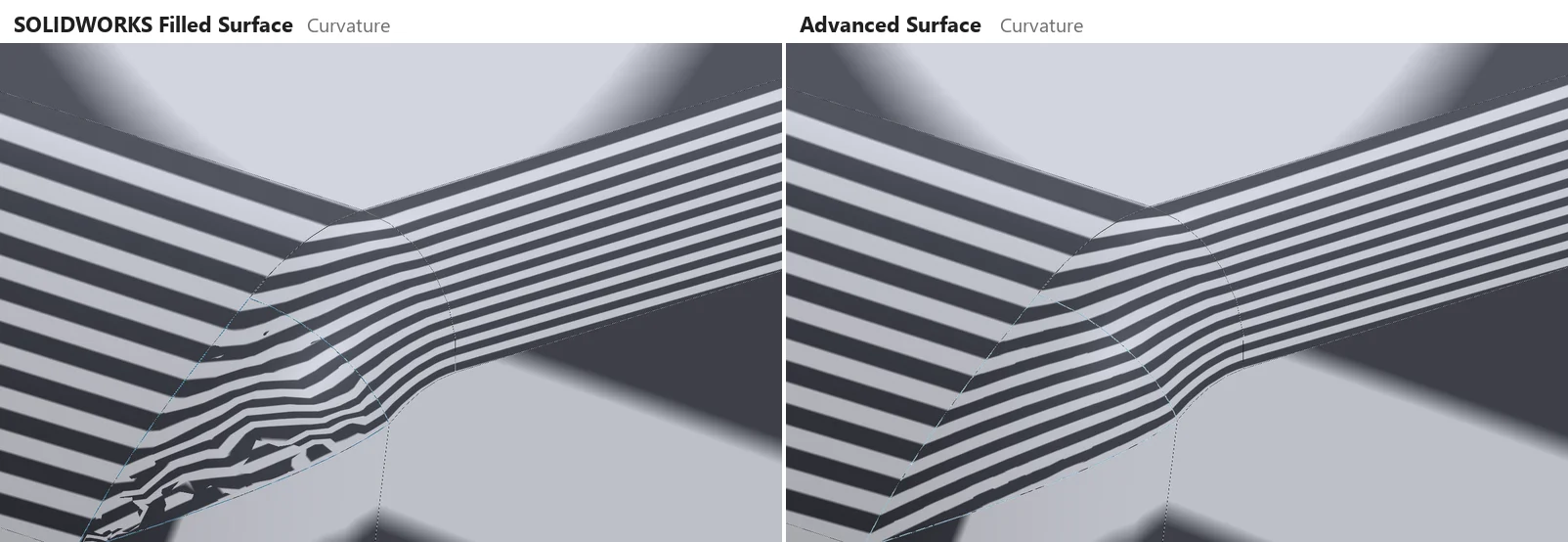
Compared on the same edges
| Case | Advanced Surface: gap · angle · curvature | Filled Surface: gap · angle · curvature | Off the original surface (ours / SW) |
|---|---|---|---|
| Round hole in a sphere | 0.10 µm · 0.004° · 0.06 % | 0.61 µm · 0.020° · 1.65 % | 1.3 µm / 318 µm |
| Square hole in a curved sheet | 0 µm · 0.0001° · 0 % | 0.08 µm · 0.005° · 0.08 % | 0 µm / 0.2 µm |
| Three-sided hole (octant of a sphere) | 0.41 µm · 0.027° · 0.14 % | 1.69 µm · 0.040° · 1.33 % | 4.1 µm / 229 µm |
| Pentagon in a dome | 0.10 µm · 0.005° · 0 % | 0.20 µm · 0.007° · 0 % | 0.8 µm / 3.3 µm |
| Large patch across a bottle shoulder | 0.37 µm · 0.049° · 0.13 % | 0.21 µm · 0.028° · 0.49 % | 1.0 µm / 20.7 µm |
| Corner of fillets 5 / 8 / 12 mm, corner face removed | 0.08 µm · 0.036° · 0.02 % | 0.09 µm · 0.047° · 0.03 % | – |
| The same corner face replaced on the solid | 0.08 µm · 0.036° · 0.02 % | 0.44 µm · 0.020° · 81 % | – |
SOLIDWORKS 2025, both tools on the same edges, measured the same way; curvature away from corners. On the bottle shoulder Filled Surface meets the edges more tightly; elsewhere Advanced Surface does. More cases on the Advanced Surface docs page.
Limits
- Slower than Filled Surface: 0.2–0.9 s per build against 0.1–0.5 s in our tests.
- One boundary per feature: one loop, a ring (two loops: one hole), or open runs joined by free edges. The result is a surface body.
- Where the faces around a corner cannot all be matched (fillets of different radii meeting), the curvature is blended over a short zone next to the corner and reported.
Try it on your own part
Advanced Surface Tools is a SOLIDWORKS add-in (2023 or newer). Every tool works free for 14 days; a licence is €149 plus VAT, one-time.
Docs: Advanced Surface
Questions
Where the faces around a corner agree, yes. Where they cannot (fillets of different radii meeting), no surface can be curvature-continuous to all of them right at the corner: Advanced Surface blends the curvature over a short zone next to it and reports that zone.
Yes. Pick the edges of the face while it is still there: the fill continues the faces around it, not the face it replaces. Then swap the faces with the usual surface tools, for example Delete Face and Knit Surface with Create solid.
The part opens without it, but the feature can only be rebuilt or edited with the add-in installed (a free download; rebuilding needs no licence). Send a STEP or Parasolid copy to anyone who will not install it.