How to emboss or deboss text on a curved surface in SOLIDWORKS
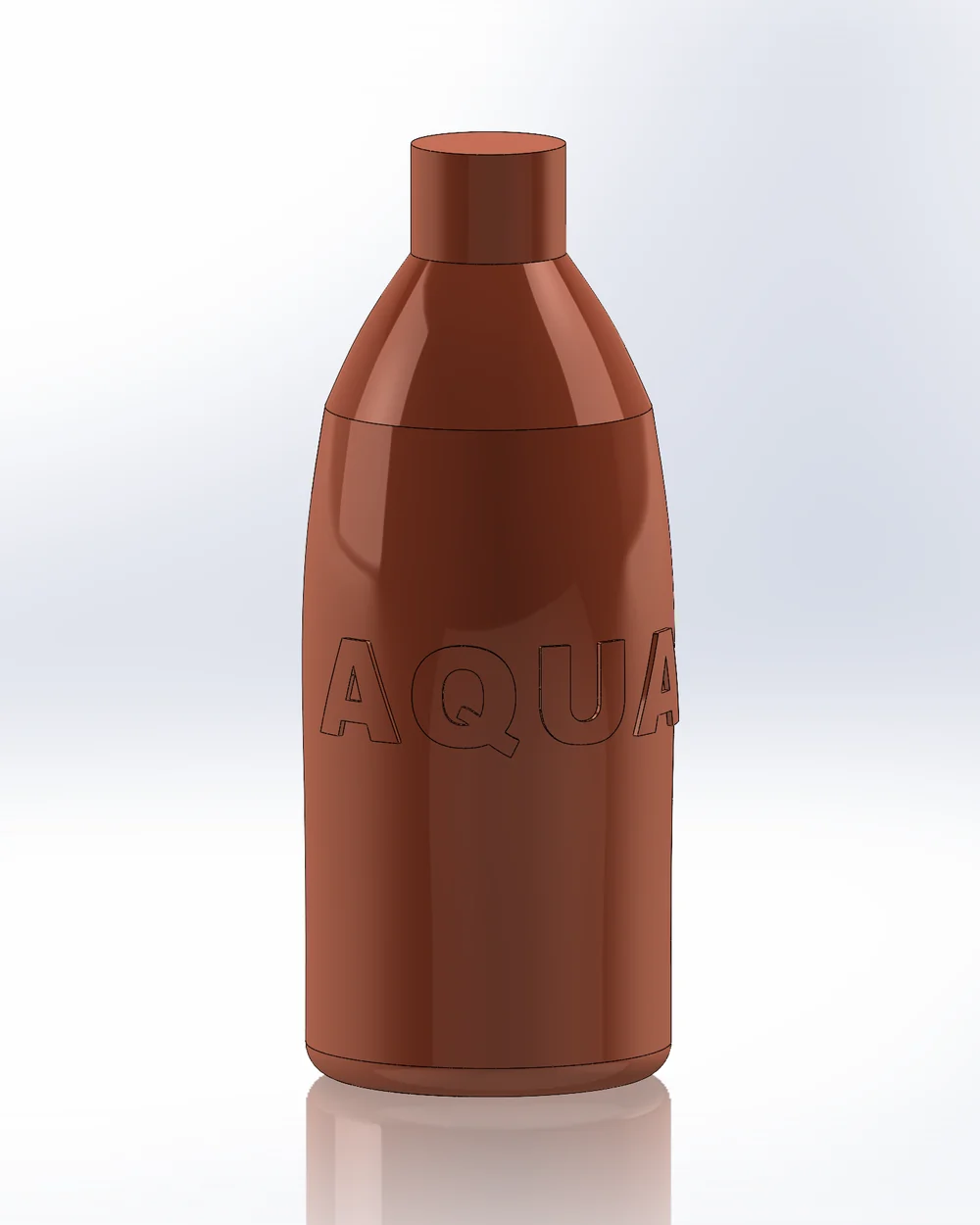
The Wrap feature embosses a sketch onto one face and distorts it, or refuses, on doubly curved faces. Pattern Mapper maps a 2D sketch or text onto any faces and embosses, debosses or splits along it as one feature, following the surface, across several faces and sharp edges, and round closed bottles.
What SOLIDWORKS offers built in
- Wrap embosses, debosses or scribes a closed 2D sketch onto one face. The Analytical method takes planar, cylindrical and conical faces (and extruded or revolved ones); the Spline Surface method takes other faces but distorts the sketch as the curvature grows, and it cannot go all the way round a closed face.
- Project curve + extrude / cut: a projected 3D sketch cannot be extruded normal to the surface, so the letters slant or fail.
- Split line + offset / thicken: works for single shapes with care, but is laborious for text.
Step by step
- 01Select the faces, then
Advanced Surface Toolstab › Pattern Mapper, Mode Sketch. - 02Either draw the text in a 2D sketch with the SOLIDWORKS Text tool (on the faces laid flat: Draw faces outline) and pick that sketch, or use Source Generators › + Generator › Text: font, style, several lines, spacing, text along an arc.
- 03Place it in the canvas: drag to move, Ctrl + wheel to turn, Shift + wheel to scale.
- 04Output Emboss or Deboss with a height; Split line splits the faces along the letters instead (for a different colour, draft or offset).
- 05OK. Each letter follows the surface; the counters of A, O and B stay free.
A logo with real 3D shape
For a modelled relief (bevelled, domed, several heights) use Surface Wrap: model the logo flat on the faces laid out on the Front plane, pick it, and it is wrapped onto the faces keeping its shape, added to the part with Output = Solid.
Limits
- Emboss / Deboss need closed shapes; a letter cut by the margin is closed along it.
- Parts only. Very large amounts of text take seconds to build.
Try it on your own part
Advanced Surface Tools is a SOLIDWORKS add-in (2023 or newer). Every tool works free for 14 days; a licence is €99 plus VAT, one-time.
Docs: Pattern Mapper · Surface Wrap
Questions
Yes. A letter crossing a sharp edge, such as the edge of a block, is embossed on both faces; the pieces meet square at the edge.
Yes. With Cylindrical mapping the text continues across the back seam.
Yes. Edit Feature opens the page on it; change the text, font or height and it rebuilds in place.