
How-to / SOLIDWORKS
How to model a faceted, low-poly or pyramid surface in SOLIDWORKS
Faceted surfaces with sharp creases are hard in SOLIDWORKS: boundary surfaces facet by facet take hours, and textures cannot make crisp creases. Geometric Surface wraps a lattice of tiles (pyramids, frustums, diamonds, triangles, pillows, Voronoi facets, rings, spirals or your own tile) around the faces, every facet a real face with sharp creases, as one feature.
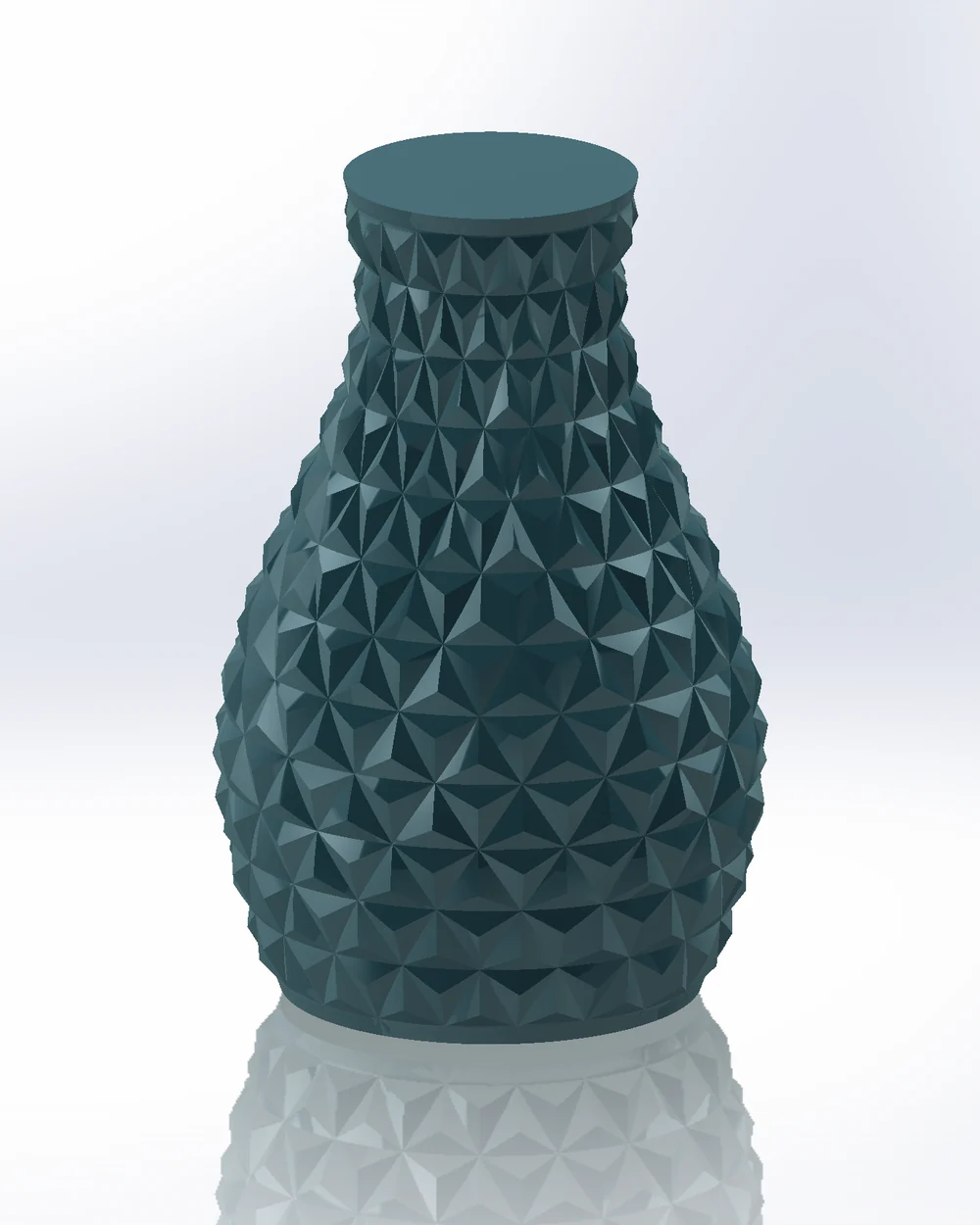
Step by step
- 01Select the faces, then
Advanced Surface Toolstab › Geometric Surface. - 02Mode Tiles: Lattice Square, Hex, Triangle, Diamond, Voronoi, Strips, Rings, Spiral or Sunflower; Cell size; Tile Height, Top size and Profile.
- 03Or Mode Creases: draw crease lines in a sketch (or generate lines, waves, rings, rays) for origami-like surfaces.
- 04Or Mode Custom tile: model one tile on the drawn cell outline and repeat it.
- 05+ Layer adds waves or noise, + Modifier varies the tiles across the part, + Keep-out keeps a label area flat.
- 06Output Surface body or Solid. OK.
Limits
- Rebuild time grows faster than the facet count: about 500 facets 1 s, 12,000 about 40 s. An unchanged rebuild restores the last result in seconds.
Try it on your own part
Advanced Surface Tools is a SOLIDWORKS add-in (2023 or newer). Every tool works free for 14 days; a licence is €99 plus VAT, one-time.
Docs: Geometric Surface
Questions
Yes. Every facet is its own face, so creases are true edges, not a smoothed texture.