
How to model knurling in SOLIDWORKS, also on curved surfaces
SOLIDWORKS has no knurl command: the usual routes are a cosmetic appearance or helical sweep cuts patterned around a cylinder, which rebuild slowly and fail on tapered or curved grips. Advanced Surface Tools builds a real knurl as one feature on any faces: sharp diamond pyramids with Geometric Surface, or a knurl texture with Surface Displace.
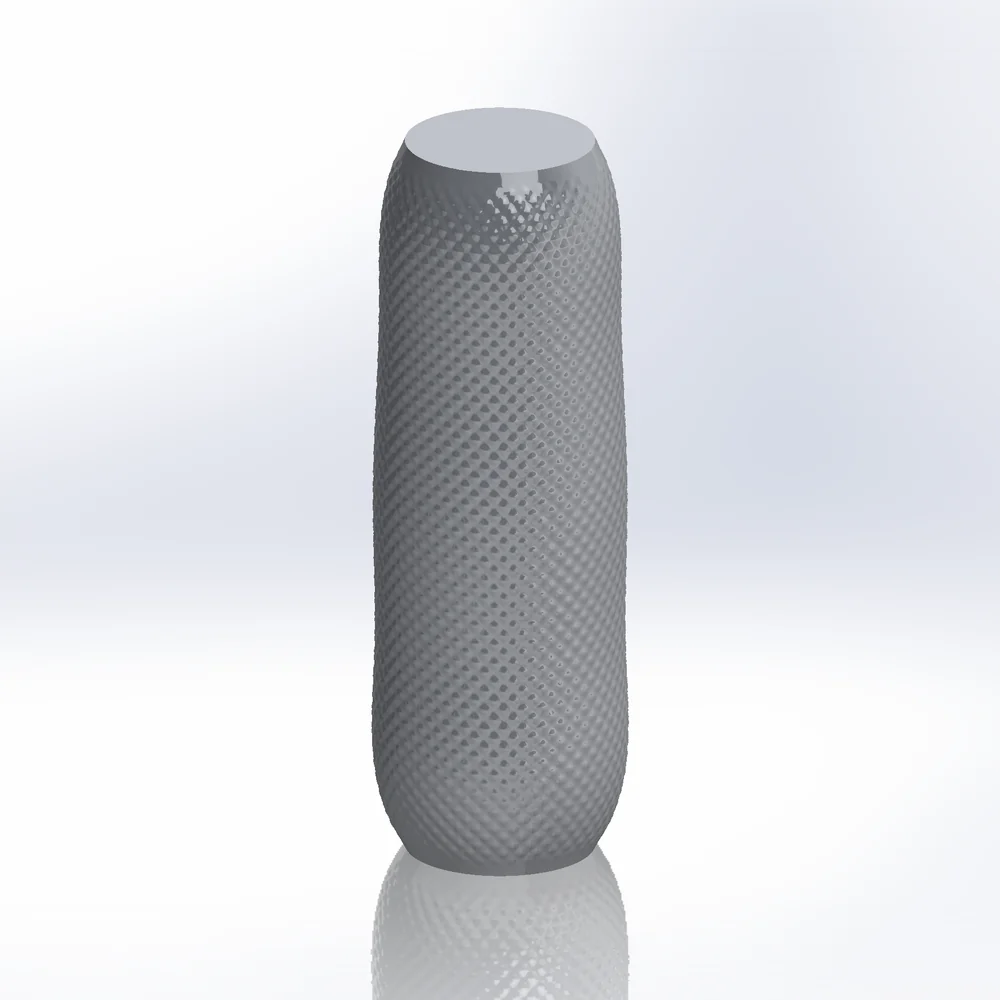
What SOLIDWORKS offers built in
- Cosmetic knurl: a knurl appearance or decal. It renders, but there is no geometry to 3D print, mould or measure.
- Helical sweep cuts: a triangle profile swept along a helix, mirrored the other way and patterned around. Works on straight cylinders; thousands of small cuts rebuild slowly (one forum example: 7,600 knurls, 51 s per rebuild) and tapered or curved grips need a different helix everywhere.
- 3D Texture turns a texture appearance into geometry, but the result is a mesh (graphics) body for the whole body: no exact B-rep faces, heavy files, and most modelling features no longer apply after it.
A sharp diamond knurl with Geometric Surface
- 01Select the grip faces, then
Advanced Surface Toolstab › Geometric Surface. - 02Mode Tiles, Lattice Diamond (or Square turned 45°). Set Cell size to the knurl pitch.
- 03Mapping Cylindrical for a round or oval grip: the cells are fitted so a whole number goes around, with no seam. UV or Flatten for other shapes.
- 04Tile Height = knurl depth, Top size 0 and Profile Linear for sharp pyramids (a small top size gives a flat-topped knurl).
- 05Output Solid sews the knurl into the part. Edge fade or At the border = Clip cells decide how it ends at the edges.
- 06OK. The knurl is one feature: Edit Feature changes pitch or depth, and it follows when the grip changes.
A knurl texture with Surface Displace
Advanced Surface Tools tab › Surface Displace, Source Generated, Presets › knurl. This displaces the faces as NURBS: quicker to set up and smooth, but detail is limited to about 250 × 250 control points per face, so a very fine knurl on a large face loses depth. Use Geometric Surface for crisp, deep knurls.
Limits
- Parts only. Rebuild time grows with the facet count: about 500 facets take 1 s, 12,000 about 40 s; an unchanged rebuild restores the last result in seconds.
- Straight (axial) knurls: use Lattice Strips or a Square lattice with the rows along the axis.
Try it on your own part
Advanced Surface Tools is a SOLIDWORKS add-in (2023 or newer). Every tool works free for 14 days; a licence is €99 plus VAT, one-time.
Docs: Geometric Surface · Surface Displace
Questions
Yes. With Output = Solid the knurl is part of the solid body, as exact B-rep faces. Export STEP, Parasolid or STL as usual.
Yes. The lattice follows the faces through the mapping; Cylindrical mapping keeps the count around constant at every height, so the cells get narrower where the grip does.
To rebuild the feature, yes (no licence needed, only the add-in). Send a STEP or Parasolid copy to anyone without it.