

Change one curve, and the in-betweens follow.
Sketch tools for work that takes too long by hand: in-between curves between two curves or shapes, regular polygons whose sides are arcs, and DXF or DWG drawings imported without the mess. All of them write plain lines, arcs and splines into your sketch.
- Sketch Blend: in-betweens that stay linked to their source curves, with a live preview
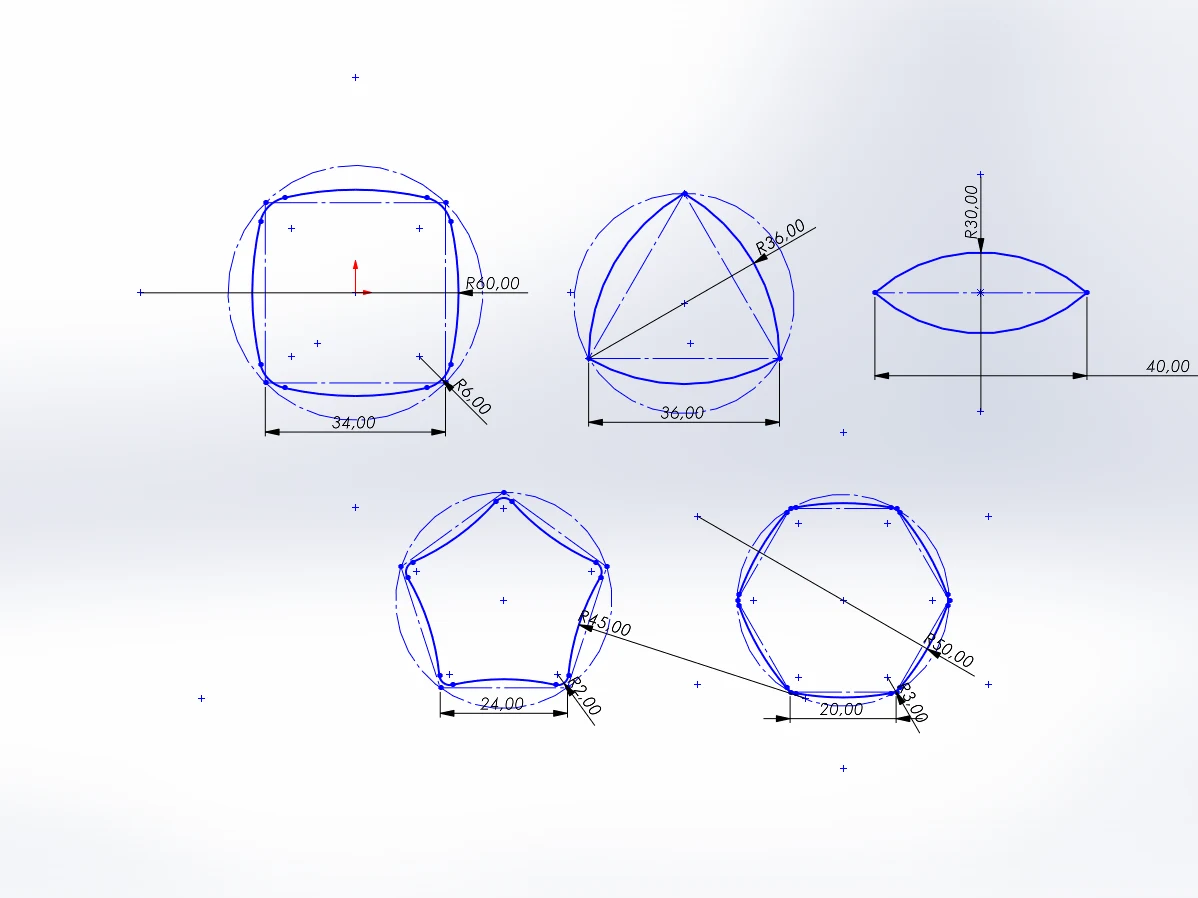
- Arc Polygon: squircles, lenses and arc-sided polygons placed with clicks, fully defined by a few dimensions
- Clean DXF Import: a DXF or DWG as a clean sketch, with pieces joined, duplicates removed and a before and after preview
- Clean Sketch: the same clean-up for a sketch that is already in your part
- Native sketch geometry: it opens and solves on any SOLIDWORKS, with or without the add-in
The trial unlocks every module for 14 days. Parts always rebuild without a licence.
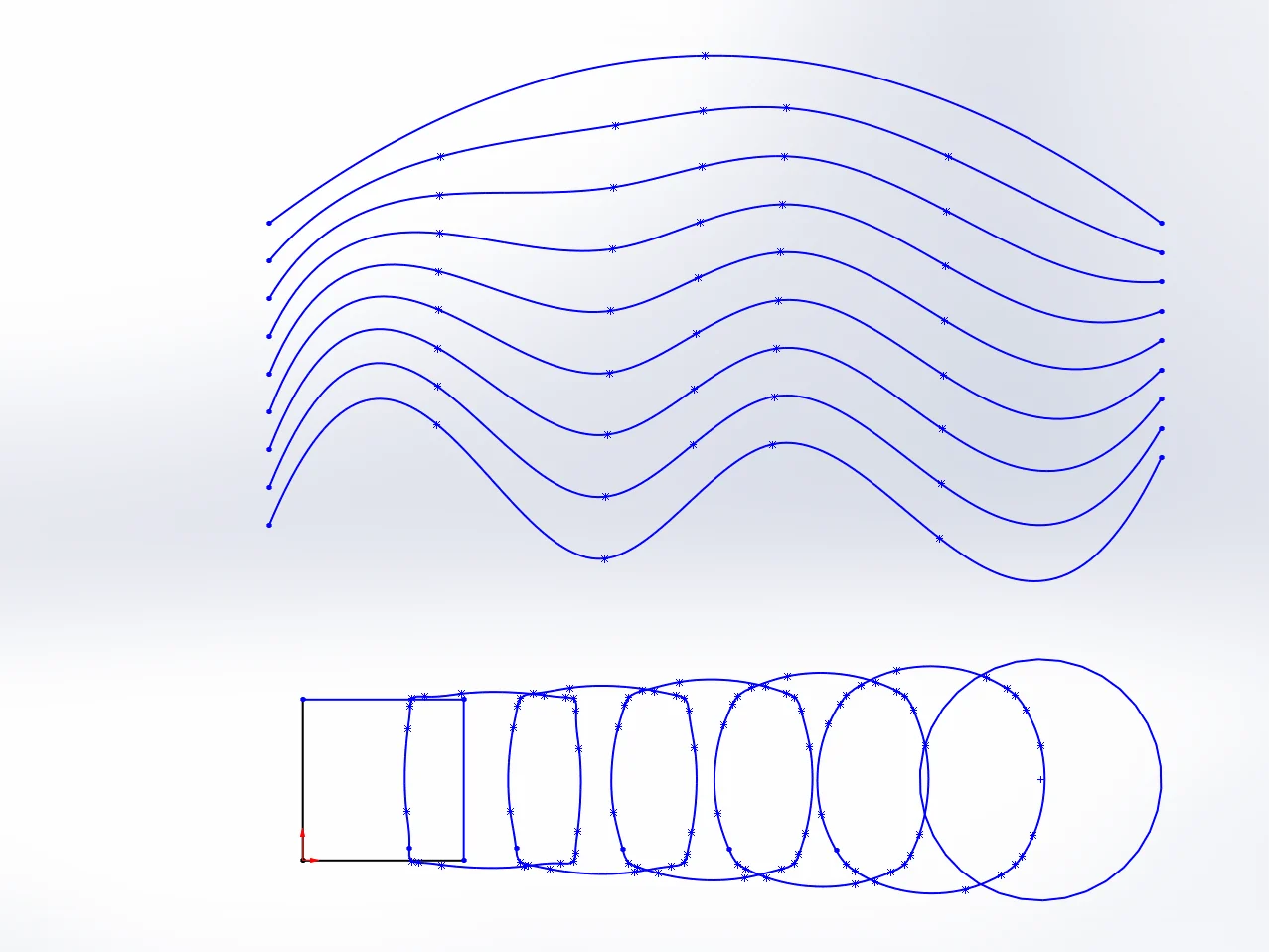
In a 2D sketch: in-between curves that follow their sources, polygons with arc sides, DXF or DWG files imported clean and existing sketches cleaned up, all as native lines, arcs and splines.
Sketch Blend
Creates in-between curves in a 2D sketch, live and editable. Similar to the Blend tool in vector drawing apps.
Arc Polygon
Draws a regular polygon whose sides are arcs in a 2D sketch: a squircle of four arcs, a rounded triangle like a Reuleaux triangle, a lens. Placed with clicks like the rectangle tool, optionally with rounded corners, and built from native arcs with relations and dimensions.
Clean DXF Import
Imports a DXF or DWG file as a clean sketch: points merged, duplicates and overlaps removed, lines, arcs, circles and splines that come in many pieces joined into one, and spline points reduced. A before and after preview shows what the cleaning did. Clean Sketch does the same for a sketch you already have.
Clean Sketch
Cleans up a sketch that is already in the part, for example one imported the usual way: points merged, duplicates and overlaps removed, lines, arcs, circles and splines that lie in many pieces joined into one, and spline points reduced. A before and after preview shows what will change before you click OK.
Advanced Sketching alone, or everything.
Advanced Sketching is a one-time purchase with all its updates. The SWPlugins Suite adds the other modules and every module we add later. If you start with a module and want the Suite afterwards, write to support@swplugins.com for an upgrade code.