
G0, G1, G2 and G3 continuity explained, with SOLIDWORKS examples
Continuity says how smoothly two curves or surfaces join. G0: they touch. G1: they touch and share the tangent direction, so there is no kink. G2: the curvature is also the same on both sides, so reflections run across the join without a break. G3: the curvature also changes at the same rate. A fillet with a circular section is G1 to the faces it joins; surfaces people call "class A" are G2 or better.
The four levels
How each looks under zebra stripes
- G0: the stripes do not line up at the edge. They are offset or broken.
- G1: the stripes meet at the edge but change direction sharply there.
- G2: the stripes run across the edge smoothly.
- G3 cannot be told from G2 by zebra stripes with any confidence. Curvature combs show it: at G2 the comb’s outline is unbroken but may have a corner, at G3 it runs on smoothly.
Where SOLIDWORKS sets continuity
- Sketches: the relations Tangent (G1), Equal Curvature (G2) and Torsion Continuity (G3) between a spline and its neighbour.
- Filled Surface: per edge Contact (G0), Tangent (G1) or Curvature (G2).
- Boundary Surface and Loft: Tangency To Face (G1) or Curvature To Face (G2) at the start and end.
- Fillet: the profile Curvature Continuous instead of Circular makes the fillet G2 to its neighbours.
Where SOLIDWORKS checks it
- Zebra Stripes and Curvature display (View › Display): pictures, judged by eye.
- Curvature combs on sketch curves and on surfaces.
- Deviation Analysis gives the angle between faces along the edges you pick: 0° means tangent.
- Check reports gaps. None of these gives the curvature jump across an edge as a number.
As numbers: Continuity Check and Advanced Surface
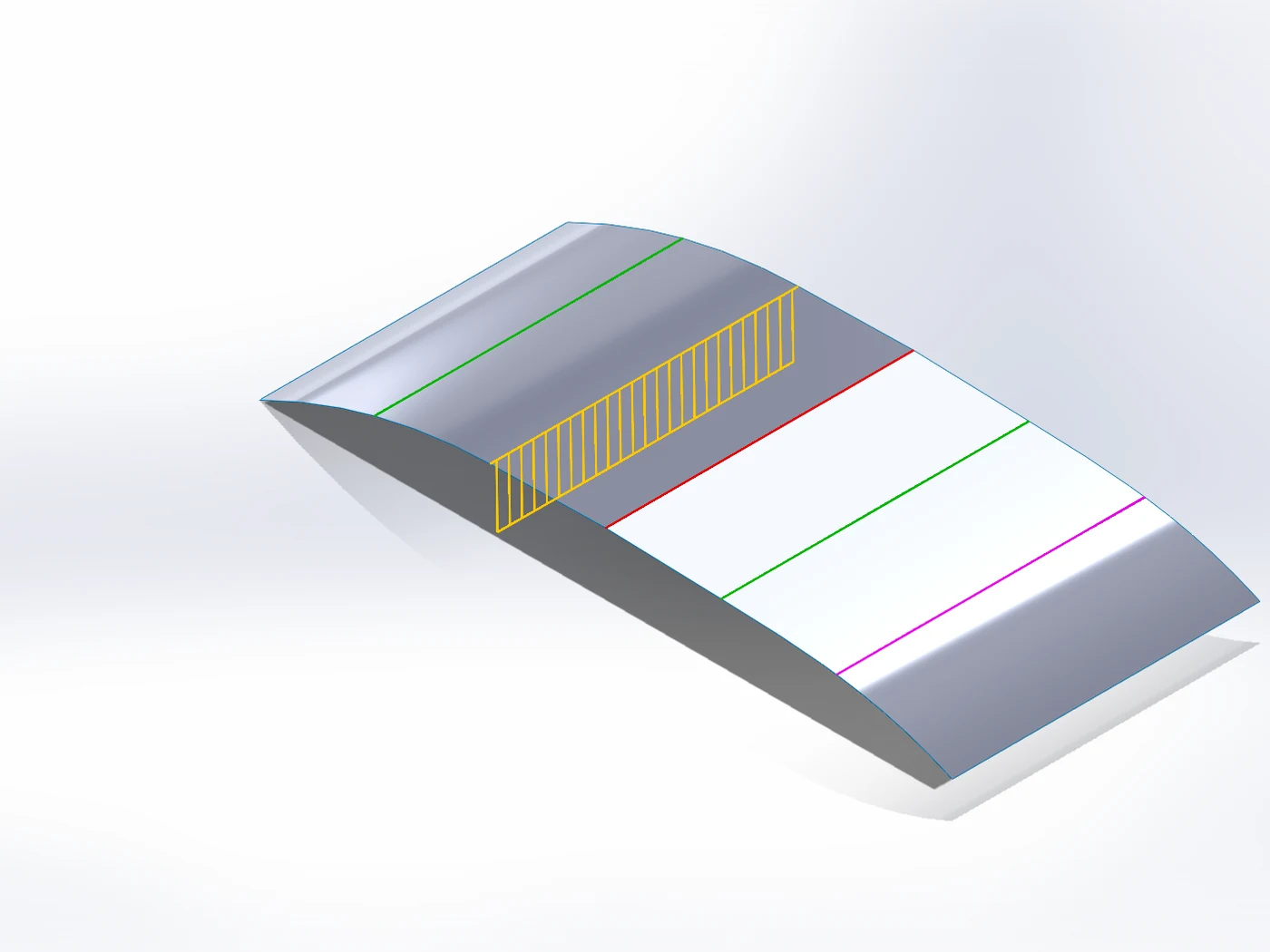
SWPlugins Suite tab › Continuity Check measures every edge between two faces of a part at once: the gap, the angle and the curvature jump, and draws each edge green (G2), yellow (G1), red (kink) or magenta (gap), within tolerances you set. It judges G0 to G2; it does not measure G3.
Advanced Surface fills a hole, a corner or the gap between separate surfaces with Contact, Tangent or Curvature per edge, and reports after the build how well every edge was met.
Try it on your own part
Continuity Check, Advanced Surface are part of Advanced Surfacing, a module of the SWPlugins Suite, a SOLIDWORKS add-in (2023 or newer). Every tool works free for 14 days; a licence is €149.25 plus VAT for the whole Suite, single modules from €44.25 (launch price until 30 November, regular €199 and from €59), one-time.
Docs: Continuity Check · Advanced Surface
Questions
Not quite. Class A is a quality standard of the car industry for visible surfaces: G2 or better at the joins, and also clean highlights, few and simple patches and tight tolerances. G2 at the edges is necessary for it, not sufficient.
A fillet with a circular section is G1: tangent, with a jump in curvature at both edges. SOLIDWORKS’ Fillet has a Curvature Continuous profile that is G2.
That is a tolerance you choose. Continuity Check uses 2 % of the larger side’s curvature by default, an angle of 0.05° for tangent and a gap of 0.001 mm.